 Home
Home
Homework Assignment: The Registry
This exercise is designed to help you become familiar with navigating
the Registry and finding information about specific BioBrick™ parts.
This assignment is worth 5 points. Submit the assignment INLINE in OWL-Space; this assignment opens on Thurs., 21 Oct., at 5 PM and closes on Tues., 26 Oct., at 1 PM.
Go to the main page for the Registry of Standard Biological Parts:
- Click on Catalog of parts & devices and
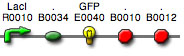
build a reporter device using ONLY the "Parts" list.
- What kind of parts will you need?
- What's the minimum number of parts you will use to build your device?
- In what order will you assemble your parts?
- What are the Registry names and descriptions for your parts?
-
From the Catalog page of the Registry, scroll to Browse
devices by type and click on Inverters.
- Look at the information for BBa_Q04121, BBa_Q04400, and BBa_Q04510
- Choose one of these devices and briefly describe how it was made (what parts were used)
- What other kind of information can you find about this part (e.g., does it work, has it been sequenced)
- From the Catalog page of the Registry, scroll
to Browse
parts and devices by contributor and then on iGEM
2007.
- Go to the parts list for Rice
- Look at the information for parts BBa_I744104 and BBa_I744204
- How are these composite parts alike? How do they differ?
- What is the evidence that they work?
- Type "Featured Parts" in the search box
on the Registry.
- Browse the select parts and devices in each major categories (excluding "Tools to facilitate cloning")
- Write a summary paragraph (i.e., an Abstract), 250
words or less, describing
a part or device that you find especially interesting
Copyright, Acknowledgements,
and Intended Use
Created by B. Beason (bbeason@rice.edu),
Rice University, 21 January 2008
Updated 13 August 2010